Small Free
A short verse in a square tile. Perfect next to your apps.
Bible widget app for iPhone
Bible Widget puts a new Bible verse on your Home Screen and Lock Screen every day. Choose small, medium or large, pick KJV, WEB or BSB, and let Scripture meet you every time you unlock your phone. Free, offline and ad-free.

Free · no ads · works offline
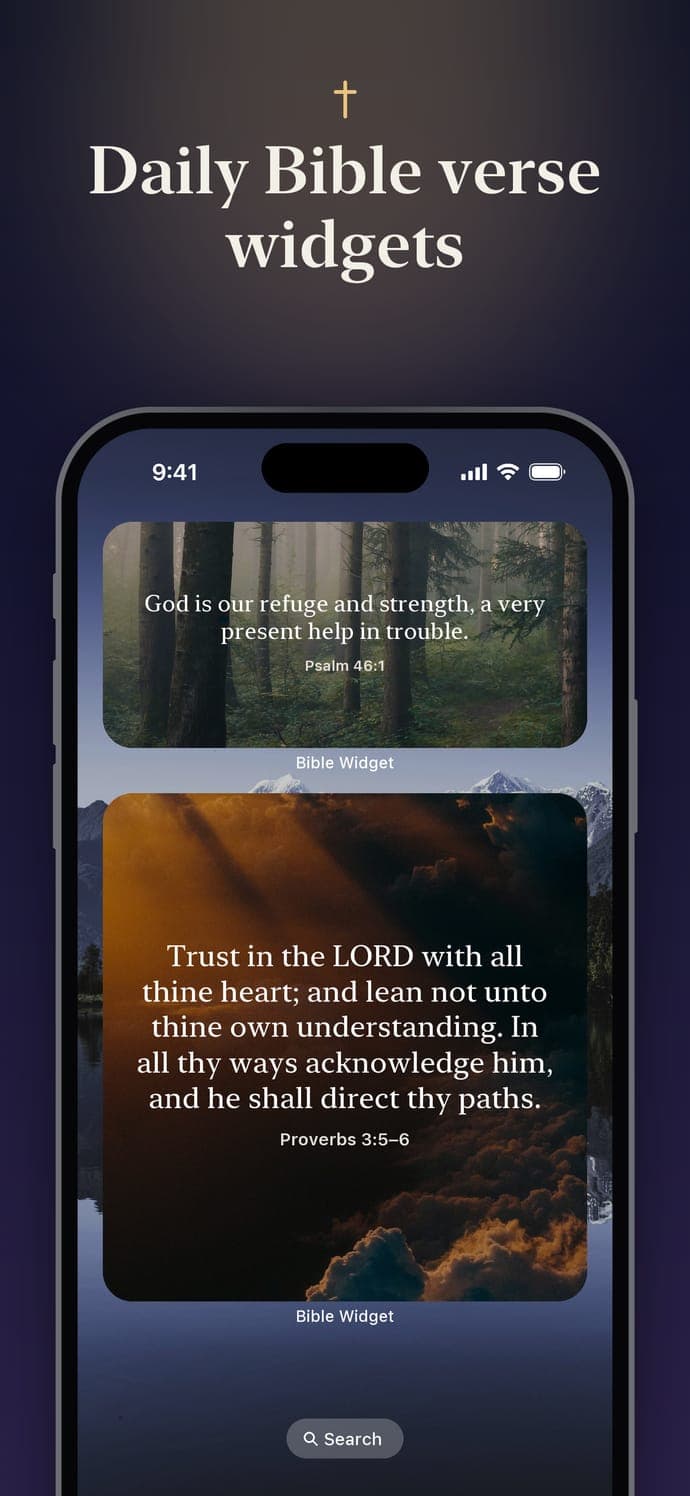
A good Bible widget should fit wherever you look. Bible Widget comes with six Bible widgets for iPhone, all showing the same verse of the day in the style you choose. Every size is included in the free Bible widget app.
A short verse in a square tile. Perfect next to your apps.
A wide widget with room for most verses and the reference.
The full verse, beautifully set over a photo or color.
A short verse right under the clock, like “Be still, and know that I am God.” (Ps 46:10a).
One line above the clock, or a round widget with the reference beside it.
The first letters of the verse you’re memorizing, for quick recall at every glance.
It takes less than a minute. You need an iPhone with iOS 16.4 or later.
Want Scripture under the clock too? Follow our Bible verse Lock Screen guide.
Plenty of apps can show text in a widget. Here’s what we built Bible Widget around, and what to look for in any Bible widget app:
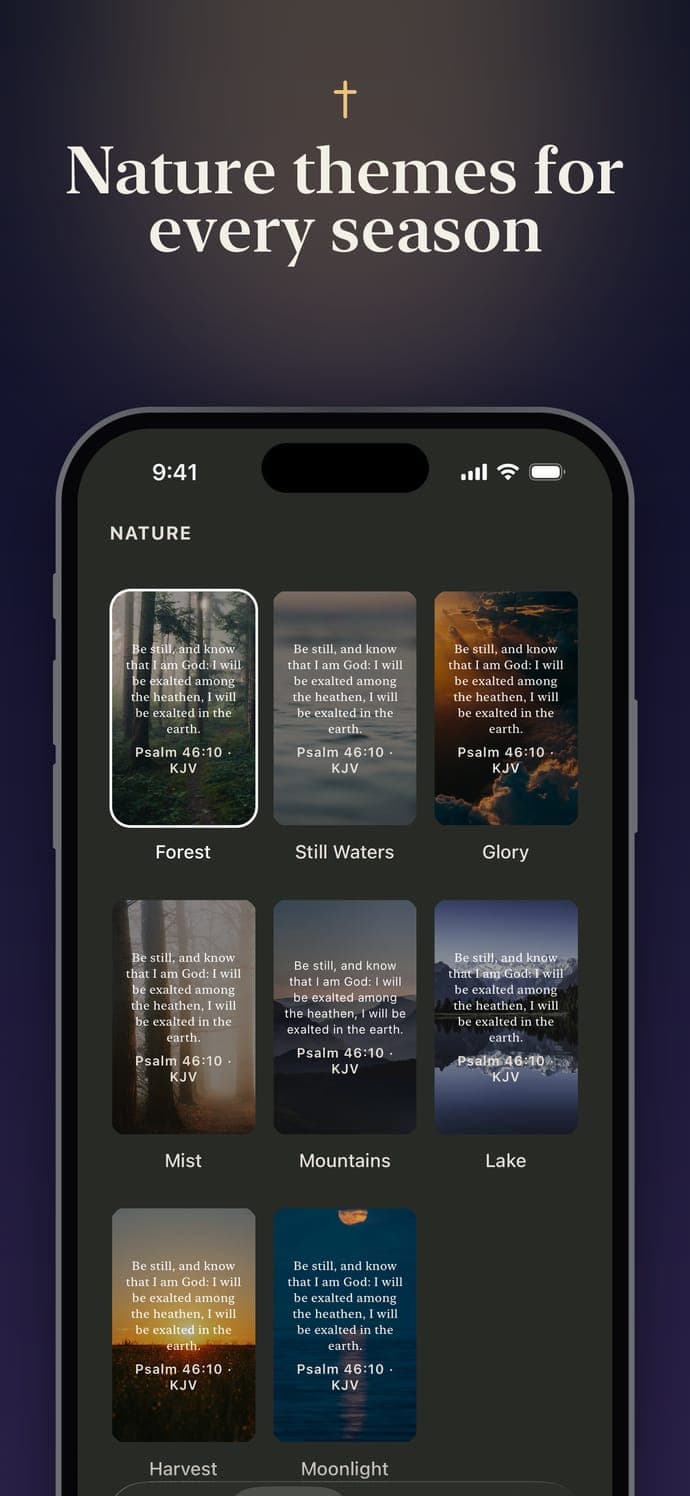
Your widget uses the same style as the app. Ink and Paper are free. With Premium you get all 40 styles: Classic colors, Modern jewel-tone gradients like Onyx, Sapphire and Emerald, classic paintings of Jesus, nature photos, seasonal photos and Christmas scenes, or your own photo behind the verse.
Premium also gives your widgets a fresh verse every 3 hours and adds Apple Watch complications, so the same verse is on your wrist. For free, you can pin any saved verse to your widgets or let them rotate through your saved verses. See all the styles.
Yes. Bible Widget is free to download and includes every widget size: small, medium and large on the Home Screen, plus rectangular, inline and circular widgets on the Lock Screen. There are no ads. An optional Premium upgrade adds a fresh verse every 3 hours, 40 styles and more.
Install Bible Widget and open it once. Then touch and hold an empty area of your Home Screen, tap Edit → Add Widget, search for Bible Widget and choose Daily Verse in the size you like.
Yes. You get a new verse of the day, chosen for the topics you picked. The app prepares two to four weeks of verses in advance, so the widget keeps changing even if you don't open the app. With Premium, the verse changes every 3 hours.
The King James Version (KJV), World English Bible (WEB) and Berean Standard Bible (BSB). Pick one in the app and every widget follows it.
Open the app once. Widgets get a month of verses in advance each time you open it. If you just changed your style or translation, the widget updates within a few seconds.
Yes. All 638 verses are stored on your iPhone, so the widget works offline. No account is needed.
Free to download. Try Premium free for 3 days.